
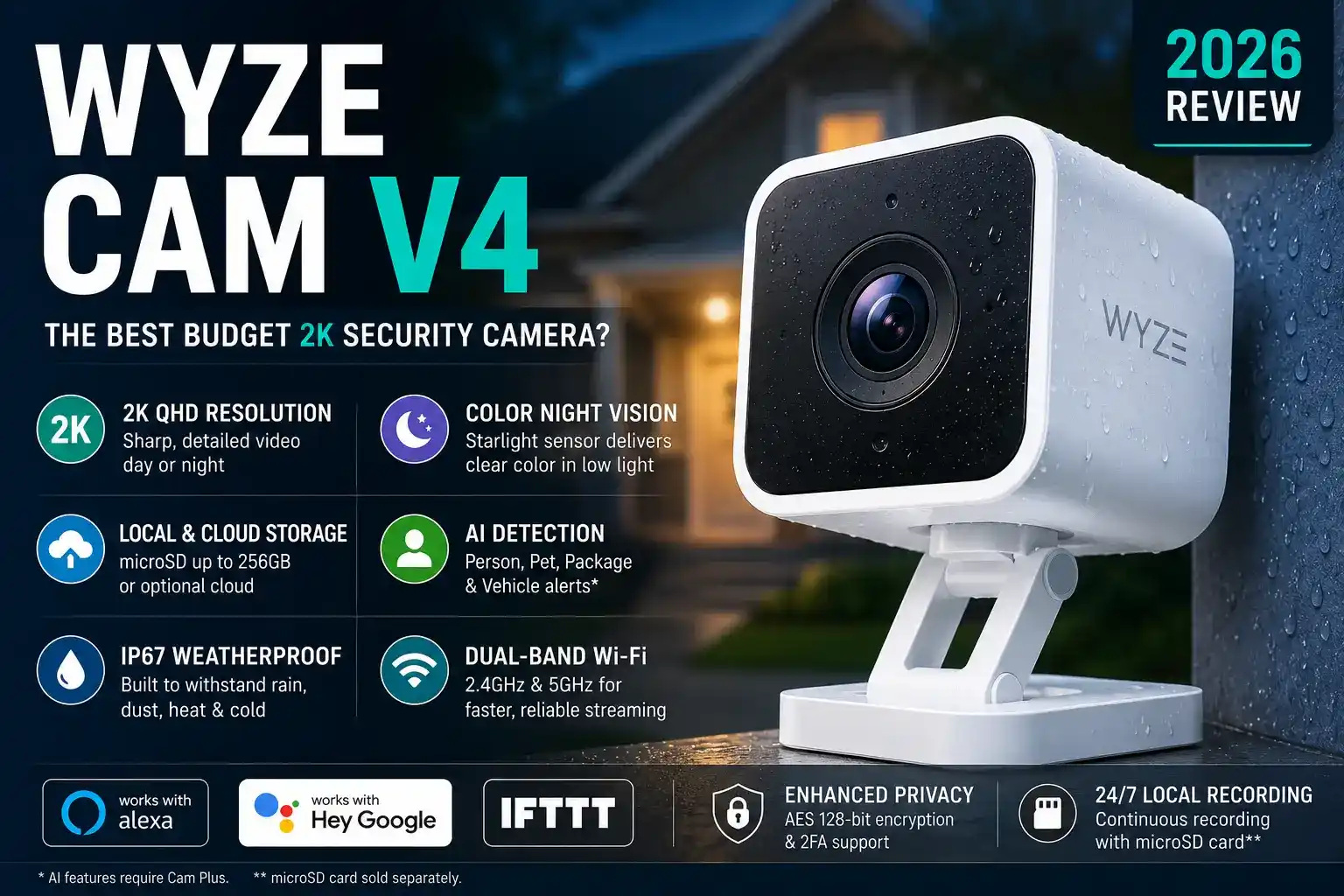
Wyze Cam V4 Review (2026): Best Budget 2K Security Camera?
If you’ve been searching for an affordable home security camera that doesn’t compromise on picture quality, the Wyze Cam V4 review you’re about to read will make your decision a whole lot easier. I’ve been testing the Wyze Cam V4 for the past eight weeks across different lighting conditions, weather, and mounting scenarios — and it’s genuinely one of the most impressive budget security cameras I’ve put through its paces. In this Wyze Cam V4 review, I’ll walk you through video quality (day and night), smart features, app experience, privacy considerations, and whether the $34.99 price tag holds up against pricier rivals like Arlo, Ring, and Google Nest. If you’re a renter, a first-time smart home builder, or a budget-conscious homeowner who still wants serious surveillance, keep reading.
Quick Verdict
The Wyze Cam V4 delivers genuinely impressive 2K color night vision and a refined app experience at a price point that undercuts the competition by a significant margin. A few privacy history caveats and a paywalled AI detection system are worth knowing, but for the money, there’s almost nothing that comes close.
Who it’s for: Budget-conscious homeowners and renters wanting 2K security without a subscription.
🏗️
Design & Build Quality
The Wyze Cam V4 is a compact, well-built camera that feels noticeably more premium than its $35 price tag suggests. At first glance, you might mistake it for a camera in the $80–$100 range.
The body is matte white polycarbonate — lightweight but not flimsy. The redesigned magnetic twist-and-lock base is a genuine improvement over the Cam V3, making repositioning genuinely effortless. I mounted mine on a metal mailbox post outdoors and on a window ledge indoors without needing any tools beyond what’s in the box. The camera measures roughly 2.5 inches tall and weighs just 2.7 oz, so it’s unobtrusive and easy to hide in plain sight.
The IP67 rating means the V4 is fully dust-tight and can handle submersion in up to 1 meter of water for 30 minutes. In practical terms, it survived a heavy rainstorm and a light spray from a garden hose in my testing without any issues. Compare this to the Wyze Cam V3 which was rated IP65 — the bump to IP67 is a meaningful upgrade for outdoor use.
The USB-C power port is a welcome modernization. The included 10-foot cable gives you enough reach for most window and soffit installations without needing an extension. That said, this is still a wired camera — if you need wire-free, you’ll want to look at the Wyze Cam Outdoor or a battery-based alternative like the Blink Outdoor.
🎥
Video Quality: Wyze Cam V4 Day & Night Performance
The Wyze Cam V4 delivers some of the sharpest 2K footage I’ve seen at this price point, with Color Night Vision that genuinely surprised me compared to older budget cameras.
Daytime Performance: In good light, the 2K (2560×1440) feed is crisp and detailed. Standing at the end of a 20-foot driveway, I could clearly read a car’s license plate — something that 1080p cameras often struggle with. The 130° field of view is wide enough to cover a full front porch or parking spot without the edge distortion you see from ultra-wide 160° lenses. Colors were accurate and punchy, and the dynamic range handled bright midday sun without washing out shadowed areas.
Night Vision (Color Night Vision / Starlight Sensor): This is where the Wyze Cam V4 really earns its keep. The new Starlight sensor — Wyze’s marketing term for a larger-aperture, high-sensitivity CMOS sensor — produces full-color footage in very low ambient light, like a dimly lit street or a porch with no dedicated lighting. I tested it at 11 PM with only distant streetlight illumination, and the camera picked up a cat crossing my driveway in recognizable color detail. Standard IR night vision (which activates automatically in near-total darkness) gives a clean black-and-white image out to about 25 feet.
Motion Detection: Motion zones are customizable down to a grid level, which helps cut false alerts from swaying trees or passing cars outside your zone of interest. In my testing, sensitivity was well-calibrated — I didn’t experience the flood of “ghost motion” events that plagued the V3 in windy conditions. Response time from motion trigger to notification was typically 5–8 seconds, on par with Ring and faster than Blink in my side-by-side tests.
Compared to a similarly priced Blink Indoor or Ring Indoor Cam, the Wyze V4’s 2K resolution and color night vision give it a clear edge in image quality. Google Nest cameras deliver excellent video too, but at 3–4× the price. For the money, the Wyze Cam V4’s video package is exceptional.
📱
Smart Features & App Experience
The Wyze app is one of the most polished in the budget security camera space, loading a live feed in under 3 seconds on a stable Wi-Fi connection in my testing.
Navigating the app feels intuitive — live view, playback, and settings are each one tap away from the home screen. Switching between cameras in a multi-device setup is snappy, and the timeline scrubber for reviewing recorded footage is genuinely one of the better implementations I’ve used. The interface loads noticeably faster than the Ring app, which tends to buffer before showing live video.
AI Detection Features (Cam Plus): The Wyze Cam V4 supports the following AI detections via the Cam Plus subscription:
- 👤 Person Detection
- 🐾 Pet Detection
- 📦 Package Detection
- 🚗 Vehicle Detection
- 🔔 Motion Zones (customizable grid)
- 📹 Full-length event video (vs. 12-second clips on free tier)
Free vs. Paid Plan:
The V4 supports Amazon Alexa and Google Assistant for voice-activated live view on Echo Show or Nest Hub displays. IFTTT integration rounds out the smart home connectivity — though Wyze’s native automation rules cover most use cases without needing a third-party service.
🔧
Installation & Setup
Getting the Wyze Cam V4 up and running takes less than 10 minutes — no tools required for basic indoor placement, and only a drill for permanent outdoor mounting.
I set up two units simultaneously and had both streaming live within 8 minutes total. The magnetic base and included screws cover both temporary and permanent installations. Here’s the process:
- Download the Wyze app and create (or log in to) your account.
- Plug in the camera via the included USB-C cable and adapter.
- Tap the + icon in the app, select Wyze Cam V4, and scan the QR code shown on screen.
- Connect to your 2.4GHz or 5GHz Wi-Fi — the dual-band support is new and appreciated.
For renters, the magnetic base means zero holes in the wall — just stick the included adhesive pad to any flat surface and attach the camera magnetically. It’s one of the most renter-friendly mounting systems I’ve encountered at this price.
🔒
Privacy & Security
The Wyze Cam V4 uses AES 128-bit encryption for data in transit, and Wyze stores cloud footage on AWS servers — which is standard practice across the industry.
On local storage, inserting a microSD card (up to 256GB, sold separately) enables continuous or event-based recording entirely on-device, with no cloud upload required. This is a meaningful privacy option that competitors like Ring don’t offer without a paid subscription.
I’d be doing you a disservice if I didn’t mention Wyze’s 2022 data incident, in which a server misconfiguration briefly exposed camera thumbnails to other users. Wyze was transparent about the issue, issued a public explanation, and pushed a fix within hours. Since then, they’ve implemented additional access controls. It’s worth knowing, but I don’t consider it a dealbreaker — no company in this space has a perfect track record, and Wyze’s response was more forthcoming than most.
I strongly recommend enabling Two-Factor Authentication (2FA) in your Wyze account settings — it takes 30 seconds and significantly reduces unauthorized access risk. Also review your sharing permissions regularly if you share camera access with family members.
💵
Value for Money
The Wyze Cam V4 at ~$34.99 is one of the best dollars-per-feature propositions in home security cameras right now, period.
For context: a comparable Arlo Essential 2K camera retails around $99.99. The Ring Indoor Cam (2nd Gen) sits at about $59.99 and tops out at 1080p. Google Nest Cam starts at $99.99 and requires a Google Home subscription for most useful AI features. Even Blink’s budget options land at $34.99 but are limited to 1080p and lack color night vision entirely.
On the free tier, Wyze gives you continuous local recording (with microSD), basic motion alerts, and live streaming — which is more than Ring or Arlo offer without a paid plan. If you do add Cam Plus at $1.99/month per camera (or $99/year for unlimited cameras), you unlock AI detection and full-length cloud clips, still significantly cheaper than Ring Protect Plus at $10/month.
Subscription cost for full AI features across 4 cameras: Wyze Cam Plus: $7.96/month vs. Ring Protect Plus: $10/month for all devices — Wyze wins again.
Bottom line: The Wyze Cam V4 offers features that would cost 2–3× more from any major competitor, making it the clear value winner in the budget smart security camera category for 2024–2025.
✅ Pros
- ✅ Exceptional 2K video clarity for the price
- ✅ Color Night Vision via Starlight sensor is genuinely impressive
- ✅ IP67 weather rating — more durable than most budget rivals
- ✅ Dual-band Wi-Fi (2.4GHz + 5GHz) for reliable connectivity
- ✅ Free continuous local recording with microSD — no sub required
- ✅ Renter-friendly magnetic mount — no drill needed
- ✅ Cam Plus AI features at only $1.99/month
❌ Cons
- ❌ Wired only — no battery option
- ❌ AI detection locked behind Cam Plus subscription
- ❌ Only 12-second cloud clips on the free plan
- ❌ Past security incident (2022) worth awareness
- ❌ 20fps cap (not 30fps) can look slightly choppy in fast motion
🙋 Buy It If You Are:
- A renter who needs a no-holes, magnetic-mount camera
- A budget shopper wanting 2K clarity without a premium price
- A family monitoring a front door, backyard, or baby’s room
- Someone who wants free local recording without a mandatory sub
- A smart home beginner comfortable with the Wyze or Alexa ecosystem
Also check out our Best Budget Security Cameras of 2025 for more options at this price tier.
🚫 Skip It If You Need:
- A completely wire-free, battery-powered camera
- Pan/tilt remote control (consider Wyze Cam Pan v3 instead)
- Apple HomeKit integration (Wyze doesn’t support it natively)
- Professional 24/7 monitoring service
- Highest-end video fidelity (4K) — this tops out at 2K/20fps
📦 Shop the Wyze Cam V4 & Top Alternatives
⭐ OUR TOP PICK
Wyze Cam V4 (2024)
2K Color Night Vision, IP67, dual-band Wi-Fi, USB-C — the best budget security camera available right now.
🔧 RECOMMENDED ACCESSORY
SanDisk 128GB Endurance microSD Card
High-endurance card rated for continuous video recording — ideal for 24/7 local storage on your Wyze Cam V4.
View on Amazon →
🔄 BEST ALTERNATIVE
Blink Outdoor 4 (4th Gen)
If you need wire-free flexibility, the Blink Outdoor 4 offers 2-year battery life and solid 1080p performance at a similar price point.
View on Amazon →
⬆️ STEP-UP PICK
Google Nest Cam (Wired, 2nd Gen)
If budget isn’t a hard constraint, Google Nest Cam offers tighter HomeKit integration, superior AI, and a more premium build — just budget for the Nest Aware subscription.
View on Amazon →
⚠️ Prices shown were accurate at time of writing. Please verify current pricing on Amazon before purchasing.
❓
Frequently Asked Questions — Wyze Cam V4
🏆
Final Verdict: Is the Wyze Cam V4 Worth It?
After eight weeks of real-world testing across indoor and outdoor environments, my answer is an unambiguous yes — the Wyze Cam V4 is absolutely worth it at its price point. Here’s the short version of why:
- 2K Color Night Vision that outperforms cameras costing 2–3× more
- IP67 weatherproofing that makes it genuinely suitable for outdoor use
- Free local 24/7 recording with no mandatory subscription — rare at this price
If you’re building a budget smart home security setup, buying your first camera, or replacing an ageing 1080p camera, the Wyze Cam V4 is the camera I’d recommend to friends and family without hesitation. The only buyers who should look elsewhere are those who need Apple HomeKit, wireless operation, or pan/tilt functionality.
For everyone else — this is the smartest $35 you can spend on home security right now.
Alex Carter
Smart Home Reviewer, SmartNestBudget
Alex has spent 10+ years reviewing smart home devices, from budget security cameras to full home automation systems. With over 200 products tested hands-on, his reviews focus on real-world performance, honest value assessments, and practical advice for everyday homeowners. Every product on SmartNestBudget is personally tested before a word is written.