Monitoring System for Elderly in the Home: How They Work, What They Cost, and Which One Fits Your Situation
Caregiving & Home Safety
Monitoring System for Elderly in the Home: How They Work, What They Cost, and Which One Fits Your Situation
A straightforward, no-sales-pitch breakdown of how home monitoring for aging parents actually works — written for the moment you realize a phone call every evening isn’t enough anymore.
There’s usually a specific moment that starts the search. A fall that wasn’t caught until the next morning. A stove left on. A parent who insists they’re “fine” while you quietly notice the mail piling up and the same shirt worn three days running. That’s when the phrase monitoring system for elderly in the home starts showing up in search bars at 11pm, usually right after a phone call that didn’t go the way you hoped.
This guide isn’t going to rank products. It’s going to explain, plainly, how these systems actually work — what they catch, what they miss, what they cost monthly versus upfront, and how to figure out which category fits your specific situation before you spend money on the wrong one.
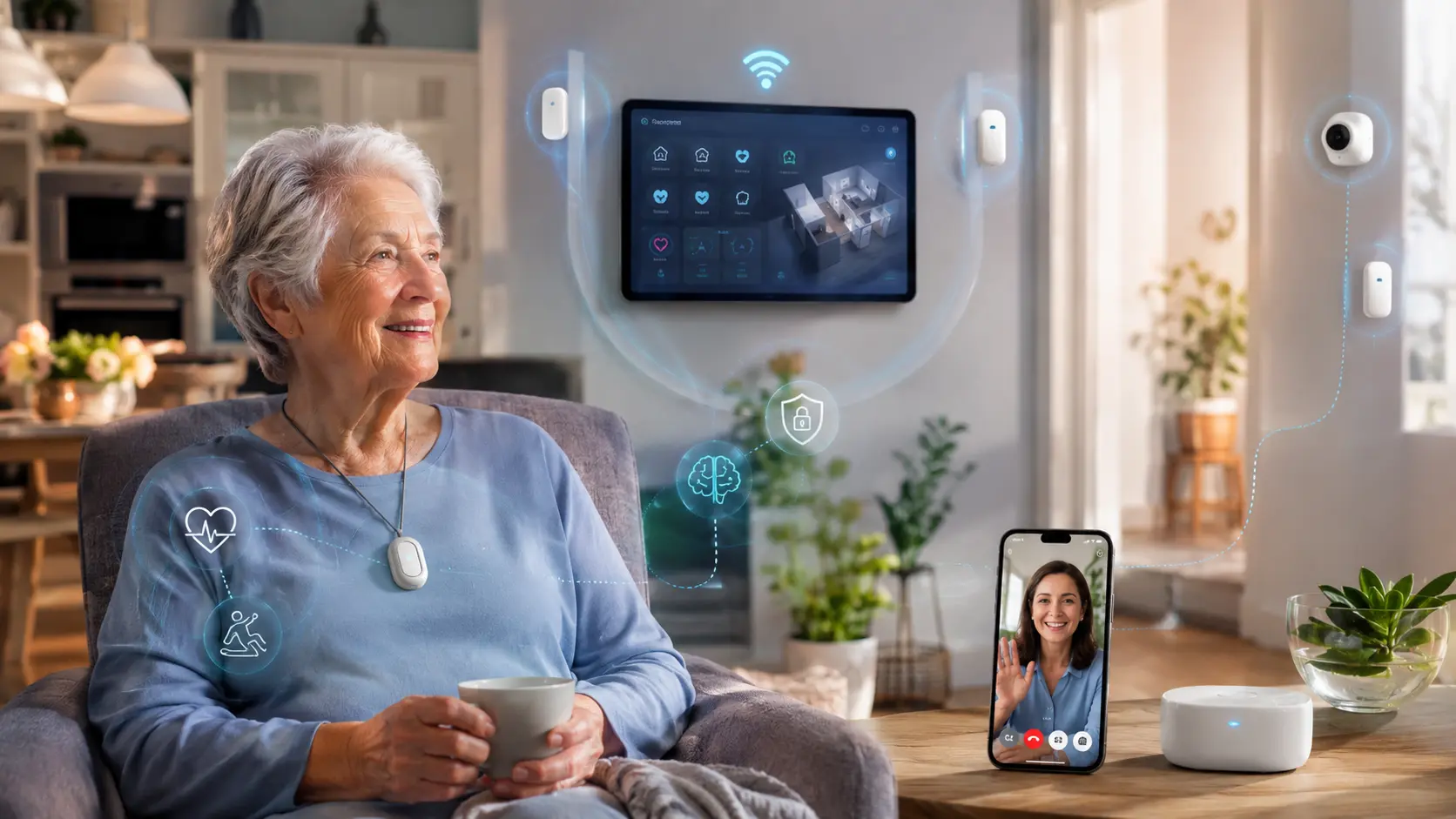
A monitoring system for elderly in the home generally falls into one of four categories: wearable medical alert devices (button-press SOS), passive motion/activity sensors (no button needed), camera-based check-in systems, and all-in-one smart home hubs that combine several of these. Most families end up layering two types — typically a passive sensor system for daily routine tracking plus a wearable for active fall detection — because no single device category catches everything on its own.
Section 01Why Getting This Choice Right Actually Matters
Picking the wrong category of monitoring system isn’t just a wasted purchase — it creates a false sense of security, which is arguably worse than having no system at all. A wearable pendant that requires a button press does nothing for someone who loses consciousness during a fall. A camera system that nobody checks regularly is just a subscription fee. The mismatch between what a device actually does and what a family assumes it does is where most of the real risk hides.
⚠️
Silent gaps go unnoticed
A button-only device gives no signal if the person can’t reach or press it — the exact scenario families are most worried about.
💸
Stacked subscriptions add up
Monthly monitoring fees range from $20 to $65 per device. Three overlapping systems can quietly cost more than in-home care visits.
🔋
Compliance is the real failure point
Most monitoring failures aren’t technical — they happen because the device wasn’t worn, was left charging, or was turned off after a false alarm.
🔐
Privacy trade-offs are real
Camera systems solve visibility problems but introduce dignity and consent issues that many parents resist, sometimes for good reason.
Section 02How Elderly Monitoring Systems Actually Work
The mechanics, explained plainly
At a technical level, every home monitoring system for an aging adult is doing one of two things: waiting for an explicit signal (a button press, a voice command, a phone call) or interpreting patterns of behavior automatically (motion in the kitchen at the usual breakfast time, the bathroom door opening, a bed sensor detecting someone got up and didn’t return). The first category is reactive — it depends on the person being able and willing to act. The second is passive — it works in the background and only alerts someone when a pattern breaks.
Most modern systems route their alerts through a base station connected to home WiFi or a cellular network, which then notifies either a professional monitoring center (someone answers and dispatches help) or a self-monitored group of family members via app notification. Professional monitoring typically costs more monthly but removes the burden of being the one who has to drop everything and respond at 3am.
Avg. setup time: 20–90 minutes
Cellular vs WiFi: cellular works without home internet
Battery life: 1 day (cameras) to 6 months (passive sensors)
Common Mistakes
- Assuming “fall detection” means 100% accurate — no device catches every fall type, especially slow slides or falls onto soft surfaces.
- Choosing WiFi-only systems for homes with unreliable internet or frequent power outages.
- Skipping the trial period most monitoring companies offer — compliance issues only show up after a week of real use.
- Not asking whether monitoring is self-monitored (you get the alert) or professionally monitored (a call center responds first).
Section 03Wearable Medical Alert Devices
Pendants, wristbands, and clip-on buttons
This is the most familiar category — the “I’ve fallen and I can’t get up” pendant, modernized. Today’s versions are smaller, often double as fall detectors, and increasingly include built-in cellular GPS so they work outside the home too, not just within range of a base station. The core function hasn’t changed: press a button, get connected to a person, get help dispatched.
The honest limitation is adoption. These devices only work if they’re worn consistently, and many older adults stop wearing them after a few weeks — either because of comfort, the stigma of looking “frail,” or simply forgetting. Families who succeed with wearables usually pick a model the person finds genuinely comfortable (wristband over pendant, for example) rather than the one with the most features.
Range: in-home or nationwide with cellular GPS
Typical cost: $0–$150 device + $20–$45/mo
Section 04Passive Activity & Motion Sensors
No button required, no camera involved
Passive sensor systems place small motion or contact sensors around the home — front door, bedroom, bathroom, kitchen — and learn a baseline of normal daily activity. If the pattern breaks significantly (no motion detected by 10am when the person is usually up by 7, or the bathroom door never opens), a designated family member or caregiver gets an alert. Nothing needs to be worn, pressed, or remembered, which makes this category the best fit for people who resist or forget wearables.
The trade-off is response time and specificity. A passive system tells you something is off, not what happened. It won’t tell you someone fell in the shower the moment it occurs — it’ll tell you, sometimes an hour later, that the bathroom hasn’t shown activity when it normally would have. For some families, that delay is acceptable; for others managing a higher fall risk, it isn’t enough on its own.
Detects: pattern deviation, not specific incidents
Typical cost: $150–$300 setup + $30–$40/mo
Section 05Camera-Based Check-In Systems
Visual confirmation, with a privacy cost
Camera systems give the clearest picture of what’s actually happening — literally. Modern versions are built specifically for caregiving rather than repurposed security cameras, with two-way audio so a family member can check in verbally, and some use on-device AI to detect falls from posture rather than requiring someone to be watching live.
The friction here is almost always emotional, not technical. Many older adults experience in-home cameras as a loss of dignity and privacy, particularly in bedrooms and bathrooms — the exact rooms where incidents are most likely. The families who use this category successfully usually negotiate it directly: cameras in shared/common spaces only, with the person’s buy-in, rather than installed unilaterally.
Requires: consent and clear placement boundaries
Typical cost: $50–$200 per camera + $10–$20/mo storage
Section 06All-in-One Smart Home Hubs
Combining sensors, voice, and alerts in one system
This newer category bundles a voice-activated hub (think a smart speaker with a caregiving layer), passive sensors, and sometimes a wearable into one connected ecosystem, managed from a single family app. The appeal is consolidation — one subscription, one dashboard, one company to call — instead of stitching together three separate systems that don’t talk to each other.
The honest downside is dependency: if the hub goes down (power outage, WiFi failure, account issue), every connected piece can go down with it. Families who go this route should specifically ask what happens during an internet or power outage, since that’s often the moment monitoring is needed most.
Watch for: single point of failure during outages
Typical cost: $200–$400 setup + $35–$60/mo
Section 07How Fall Detection Really Works (and Where It Fails)
“Automatic fall detection” is the single most marketed and most misunderstood feature in this category, so it deserves its own explanation. Wearable fall detection generally relies on an accelerometer and gyroscope detecting a sudden change in velocity followed by a period of stillness — essentially, the physical signature of a hard, fast fall. That works reasonably well for the classic trip-and-fall.
It works far less reliably for slow slides out of a chair, falls onto a bed or carpet, or falls where the person remains partially upright. Industry studies and manufacturer data consistently show automatic fall detection misses a meaningful percentage of real falls — independent testing has put detection accuracy for some devices well below marketing claims, particularly for “soft” falls. This isn’t a reason to avoid fall detection; it’s a reason not to treat it as a complete safety net, and to pair it with passive monitoring or scheduled check-ins.
Pro Tips
- Ask any manufacturer directly what their fall detection sensitivity setting can be adjusted to, and test it during the trial period with a soft, deliberate fall onto a mattress.
- Pair automatic detection with a manual button — most devices include both, and the button remains the more reliable signal.
- Set up a fallback contact chain (family member, then neighbor, then emergency services) rather than a single point of contact who might be unreachable.
Section 08Quick Reference: System Types Compared
| System Type | Requires Action? | Detects Falls? | Privacy Impact | Typical Monthly Cost |
|---|---|---|---|---|
| Wearable medical alert | Yes (button) | Optional add-on | Low | $20–$45 |
| Passive motion sensors | No | Indirectly (pattern only) | Low–Medium | $30–$40 |
| Camera check-in | No | Yes (some models) | High | $10–$20 + device |
| All-in-one smart hub | Mixed | Yes (bundled) | Medium | $35–$60 |
Section 09Step-by-Step: Choosing the Right System
-
Define the actual risk you’re addressing
Fall history, cognitive decline, living alone, or general peace of mind each point toward a different category — be specific before you shop.
-
Ask the person what they’ll actually tolerate
The best device on paper is worthless if it gets left in a drawer. Involve them in the decision, not just the gift.
-
Check connectivity at the home
Confirm WiFi reliability and cell signal strength in the specific rooms the device will be used, not just “the house has internet.”
-
Clarify who responds to an alert
Self-monitored means a family member’s phone buzzes; professionally monitored means a call center triages first. Pick based on who’s realistically available 24/7.
-
Use the trial period to test failure, not just success
Trigger a false alarm. Test it during a power blip. See what actually happens before committing to an annual contract.
Section 10Matching the System to the Situation
A wearable with cellular GPS is usually sufficient — it covers them inside and outside the home without requiring household sensor installation.
Passive motion sensors are the better fit — they require no compliance and quietly track routine without a device to lose.
A camera with two-way audio in shared spaces, agreed to explicitly, gives the fastest visual confirmation during the riskiest weeks.
An all-in-one smart hub consolidates monitoring, but confirm the backup plan for power or internet outages before relying on it solely.
Section 11Frequently Asked Questions
What is the best monitoring system for an elderly person living alone?
There’s no single best system — it depends on whether the person is mobile and cognitively sharp (favoring a wearable) or has memory issues that make remembering a device unrealistic (favoring passive sensors). Most families layer both for the strongest coverage.
Does Medicare cover home monitoring systems for seniors?
Original Medicare generally does not cover personal emergency response systems or passive monitoring devices, though some Medicare Advantage plans offer them as a supplemental benefit. It’s worth checking the specific plan directly, since coverage varies significantly by provider and region.
How does fall detection work without a camera?
Wearable fall detection uses an accelerometer and gyroscope to recognize the physical signature of a fall — a sharp drop in motion followed by stillness — without any visual component. It’s a motion-pattern interpretation, not an image-based one.
Can a monitoring system work without WiFi?
Yes — many wearable and passive systems offer cellular-based connectivity as an alternative or backup to WiFi, which is generally more reliable during home internet or power disruptions, though it usually carries a slightly higher monthly fee.
How do I get my elderly parent to actually wear a medical alert device?
Involve them in choosing the specific device rather than presenting a finished decision, prioritize comfort and appearance over feature count, and consider passive sensors as a no-compliance-required backup if wearable adoption doesn’t stick.
Are camera monitoring systems an invasion of privacy for seniors?
They can be, particularly in bedrooms and bathrooms, and many older adults reasonably object on dignity grounds. The systems that work best long-term are introduced with the person’s direct consent and limited to shared living spaces rather than installed without discussion.
Final SectionKey Takeaways
- No single device category covers every risk — most well-protected households layer a passive system with a wearable or camera.
- Automatic fall detection is genuinely useful but not foolproof, especially for slow or soft falls; pair it with a manual button.
- Adoption and comfort matter more than feature lists — the most advanced device fails if it isn’t worn or used.
- Always confirm what happens during a power or internet outage before relying on any single connected system.
- Privacy and dignity conversations, especially around cameras, go better when the older adult is included in the decision from the start.